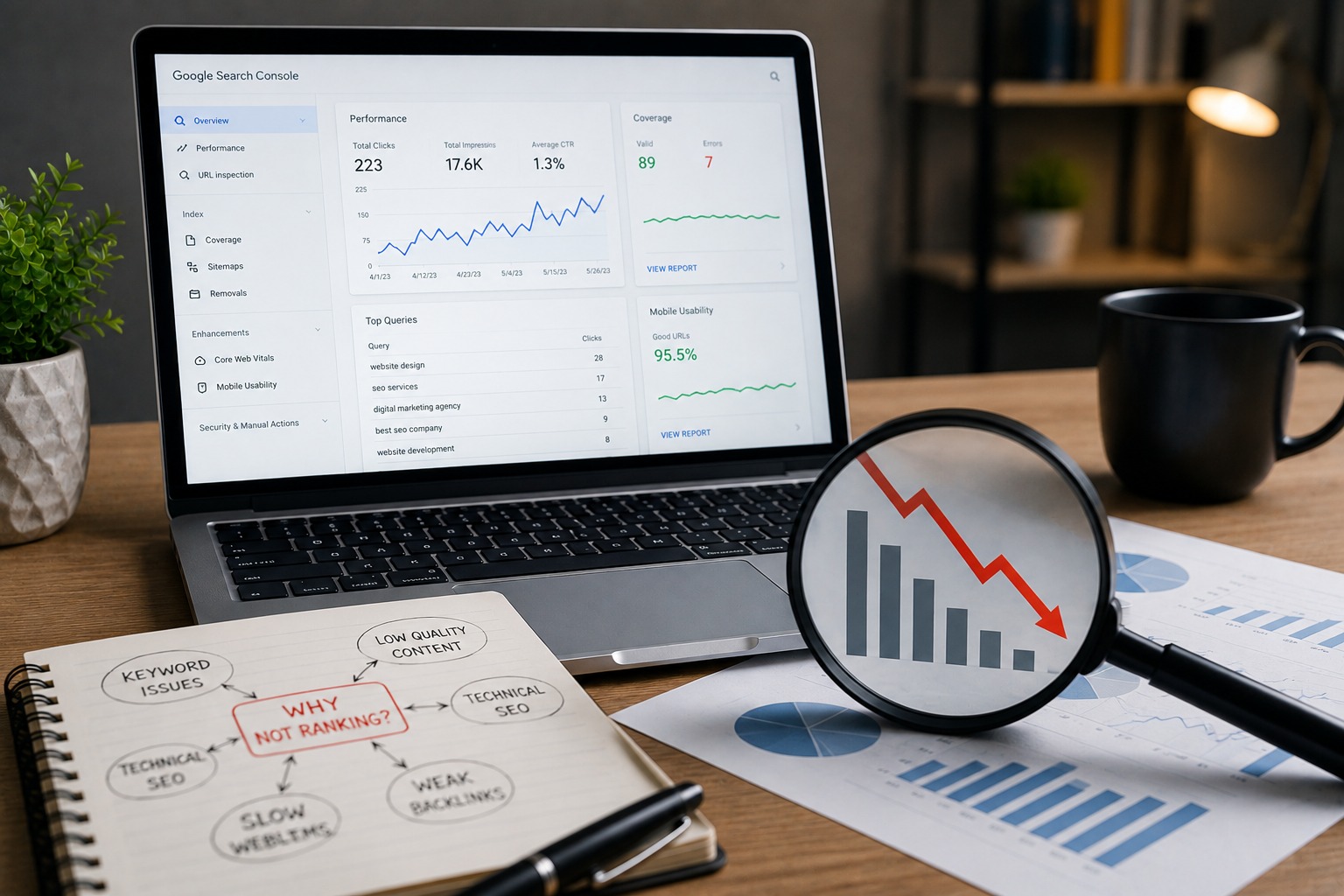
A website fails to rank well in Google mostly due to several problems that happen together: poor keywords, weak technical SEO optimization, poor on-page optimization, low-quality and thin content, slow speed, bad mobile experience, problems with indexing, crawling, weak links, and lack of E-E-A-T signals. Google takes into account hundreds of signals, but ranking issues have always been linked to one of 15 possible problems discussed below.
So, why is Google not showing my website? What can be done in case your site doesn't rank well in Google at all or on the first page in particular? There are many problems which need to be diagnosed and addressed. This article will provide details about each problem, including what it is, what it means for Google ranking, and how to fix it.
In this guide, we will discuss Google ranking issues without any marketing fluff.
Most websites focus on keywords which might be over-competitive, too broad in nature, or entirely unrelated to the products and services offered. Some may target keywords which receive no search volume whatsoever.
Google tries to match content to user search queries by checking their relevance and specificity. In case of "digital marketing" being used on your page, instead of "digital marketing agency in Delhi" you would be competing with thousands of big players who do not have to match the actual user's search intent.
Utilize keyword research tools like Google Keyword Planner, Google Search Console, and/or third-party solutions to discover more accurate keywords regarding search volume and competitiveness.
Use long tail keywords (three words or longer), which represent true user searches, for
Example, "affordable SEO services for small business," not just "SEO".
Target 1 primary and 2-3 secondary keywords per one web page (keyword cannibalization is a no-no).
Utilize Google Search Console report called "Queries" to check which keywords you are already ranking for, including positions 2-3.
Example: Local bakeries targeting "cakes" are bound to fail against nationally recognized companies. Targeting "custom birthday cakes in Delhi" represents both search intent and search competitiveness.
A search intent mismatch is the situation where the content fails to answer the real need behind the user’s search. There are four categories of intent which include informational, navigational, commercial investigation, and transactional.
The algorithm developed by Google is designed to serve the most relevant result for whatever searchers intend. When a user uses the search term “how does SEO work” (Informational Intent) but finds himself or herself on a sales page of the same SEO packages (transactional intent), it will not get a better ranking on Google despite its excellent optimization.
Search for your target keyword using Google and analyze the top ten pages ranking for that search query.
Match the format of your content to the intent (Blog or guide for informational intent; Service or landing pages for transactional searches)
Don’t put the two different intents on a single page e.g. A sales driven blog post for an informational search query.
If the highest ranking pages from your competition for the same keyword are mainly guides but yours is a product page, there is a great chance of having search intent misalignment.
What thin content is Content on a page that lacks text, value, and substance or is merely repetitive in nature with no added benefit.
The underlying principle behind Google's primary ranking systems is to favor useful, thorough, and expert content. Thin/duplicate content does not meet all of these conditions and therefore causes a high bounce rate and low dwell time — two indirect metrics that affect rankings negatively.
Try going for comprehensive content that addresses every possible facet about a topic rather than hitting an arbitrarily high word count number.
Include your own unique insight or example that none of your competitors have.
Use headings/bullet points/images to make the content readable.
Conduct audits using Search Console for pages that rank for high-impressions keywords but low clicks/rankings and see what improvements can be made in terms of content.
[ ] Is comprehensive
[ ] Answers related/common questions
[ ] Includes unique examples/information
[ ] Has no grammar/factual errors
[ ] Scannable (headings/bullets/paragraphs)
Topical authority is where Google sees your website as a trusted and exhaustive resource on a particular subject matter and not as a website that just mentions that topic a few times.
Sites that have comprehensive and well-interlinked information related to a subject generally rank higher than the websites with only a few isolated pieces of content. Google likes comprehensive knowledge bases.
Create "topic clusters" which include a main pillar page such as "SEO Guide" that is internally linked to many other pages like "On-Page SEO Guide," "Technical SEO Tips," etc.
Create comprehensive content consistently on your website about a particular subject instead of jumping to different subjects altogether.
Interlink all of the content of the cluster pages.
Example structure:
Pillar Page | Supporting Cluster Pages |
| SEO Services Guide | On-Page SEO, Technical SEO, Local SEO, Link Building |
| Digital Marketing Guide | Google Ads, Social Media Marketing, Content Marketing |
SEO problems may range from absence or improper optimization of such key on-page elements as title tags, meta descriptions, header tags (H1-H3), alt text and keywords.
Google understands better than anything else what the page is about by analyzing the on-page SEO elements like titles and headers.
Create unique, keyword-rich titles under 60 characters for each page.
Create unique meta descriptions 145-155 characters long summarizing the page content and offering the CTA
Use one H1 per page with H2 and H3 keyword-related headers.
Give all the images proper alt attributes with keywords mentioned if possible.
Make sure that the primary keyword appears within the first 100 words of page content.
[ ] Unique page title with the primary keyword
[ ] Good meta description
[ ] One page H1 tag and a correct hierarchy of H2 and H3 headers
[ ] Primary keyword in the URL
[ ] All images have alt tags
[ ] Links on the page
Internal linking refers to links among pages on your website. Many websites either lack enough internal links, broken internal links, or links only to homepages and not specific deep pages.
Google to know how pages are connected in a website, how to distribute “link equity,” and direct traffic to other relevant pages — resulting in increased time spent on the site and lower bounce rate.
Steps to solve it (solutions for internal linking)
Use important pages, such as your homepage or your blog pages, to create a link to other important pages, such as service or product pages.
Use descriptive keywords as anchor text rather than "click here."
Important pages should be accessible within three clicks to the homepage.
Run an audit regularly to check any broken internal links by using Google Search Console “Links” or crawling software.
Is a blog post titled “Local SEO Tips.” This blog post should have an internal link to your “Local SEO Services” page through anchor text such as “local SEO services in Delhi.”
Technical SEO problems can involve wrong redirects, faulty use of canonical tags, lack of XML site maps, issues with the robots.txt file, and bad site architecture optimization.
Why does it affect rankings? Google bots are unable to navigate your website appropriately and therefore cannot crawl or index your pages, despite their quality.
Upload your XML sitemap to Google Search Console.
Make sure that you don't block any important pages through your robots.txt file.
Get rid of broken links and redirect chains (use 301 instead of redirect chains).
Make sure that your canonical tags are used correctly and do not confuse Google.
Perform regular technical SEO audit on the basis of Search Console "Coverage" and "Indexing" reports.
[X] Orphaned pages (pages with zero internal links)
[X] Sitemap uploaded and without mistakes
[X] Robots.txt doesn't block any pages
[X] Redirect chains and loops avoided
[X] Canonical tags are used correctly
[X] Site-wide HTTPS enabled
slow loading pages, especially those that have slow LCP (largest contentful paint), CLS (cumulative layout shift), or even slow response times from servers, negatively impact not only the user experience but search rankings as well.
The Core Web Vitals by Google are officially part of their page experience signals. Furthermore, slower websites tend to have higher bounce rates, which imply a poor user experience.
Compress and reduce the size of images before uploading (use new image types, e.g., WebP).
Enable browser caching and use a CDN.
Reduce or remove unnecessary and blocking JavaScript/CSS.
Opt for a fast and reliable hosting provider (shared hosting can be a reason for slowing down websites).
Because Google now practices mobile-first indexing, your website gets mostly crawled and indexed in its mobile version. Sites that don't have mobile responsiveness, small text size, overlapping objects or intrusive pop-ups can suffer from poor visibility and ranking.
Because Google practices mobile-first indexing, if there are any problems in your mobile site design then it considers this as your primary site version even though your desktop version may look great.
Opt for a responsive design solution.
Stay away from intrusive pop-up messages.
Make sure that all buttons and links are spread out so that users could easily tap on them.
The problem with indexing appears when Google is unable to crawl your web pages or simply decides not to index them based on their quality, duplication, or some directives from you (such as "noindex" tag somewhere).
Unindexed pages cannot show up in search results. No matter how good your page's content is or how well-optimized the page itself is, if it is not indexed, it will never rank.
Enter Google Search Console.
Go to the Indexing > Pages.
Read the "Why pages aren't indexed" section.
Click through each exclusion category (for example, "Crawled – currently not indexed," "Discovered – currently not indexed") and solve the problem at its root.
Duplicate content is where the same or similar content shows up at several URLs, either on your website itself or somewhere else (such as HTTP and HTTPS variations, and/or printer-friendly pages).
The search engine is confused by what you want to rank, and usually ranks none of them or ranks the wrong URL.
Set a preferred version for each URL using canonical tags.
Redirect all variations of URLs (www and non-www, different URL suffixes, or HTTP and HTTPS variations) to a main URL.
Do not syndicate content or put up copied content unless there is enough original stuff with it.
Search Console coverage report shows URLs having duplicate content marked "Duplicate without user-selected canonical."
That links from irrelevant, spammy, and low-value sites, or simply not having any links at all, indicate low external authority for Google’s algorithms.
Are among the most important ranking factors employed by Google simply because they act as third-party endorsements of your site. A website with a bad backlink profile is not going to outrank well-linked websites on Google.
Concentrate on earning backlinks from quality sources related to your industry and region.
A disorganized structure is one that has inconsistency with navigation, deeply buried pages, and categories.
An organized structure assists in distributing authority among different pages and enhances crawl efficiency. When a page structure is bad, it causes valuable pages not to be indexed appropriately.
E-E-A-T refers to Experience, Expertise, Authoritativeness, and Trustworthiness. Websites without authorship details, qualifications, trustworthiness features, or even clear business information tend to perform poorly, especially on YMYL (Your Money or Your Life) content which includes areas such as health, finance, and law.
E-E-A-T is one of the criteria outlined in the Google quality rating guidelines. Google looks at how trustworthy websites can be according to several factors like whether there are author bios, or contact information on the site.
Add authorship information with qualifications or experience on any blog or content on the website.
Make sure to have accessible About us and Contact us sections with all the relevant information about you and your business.
Put some contact information, physical address (for local business), and privacy policies and terms of use pages on your website.
Ensure you cite credible sources when making some claims or giving some information/data in your content.
Get customer testimonials and include them wherever possible.
[] Author bios in content pages
[] About Us/Contact Us pages
[] Business NAP (Name Address Phone)
[] HTTPS site
[] Real customer testimonies and reviews
[] No false/unverifiable claims
The lack of updates on content in years could render the content to be out-of-date, inaccurate, or simply less relevant than the newly created pieces of content.
Google prefers content pieces with up-to-date, correct information — specifically, topics that evolve and change (such as SEO, price, industry statistics, etc.). Such content will tend to fall in its rankings even if at one time it was ranking high.
Do regular audits of the content (once in 6–12 months) by looking at the performance of content in Google Search Console.
Update information, illustrations, examples, and recommendations in the content piece that has already changed since.
Change the publication date on the content piece if you have added new useful information and not made just a superficial change.
Add new material to expand upon the thin content pieces and their relevance.
Issue | Primary Symptom | Where to Check | Fix Priority |
| Poor keyword targeting | Wrong traffic, low relevance | Search Console Queries | High |
| Search intent mismatch | High impressions, low clicks | SERP analysis | High |
| Thin content | High bounce rate | Analytics + Search Console | High |
| Weak topical authority | Competitors outrank on related terms | Site audit | Medium |
| Weak on-page SEO | Low CTR from search | Page audit | High |
| Poor internal linking | Orphan pages | Crawl report | Medium |
| Technical SEO issues | Pages not indexed | Search Console Coverage | Critical |
| Slow speed | High LCP/CLS | Page Speed Insights | High |
| Poor mobile experience | Mobile usability errors | Search Console Mobile Usability | High |
| Indexing/crawling issues | "Not indexed" status | Search Console Pages report | Critical |
| Duplicate content | Wrong page ranking | Coverage report | Medium |
| Weak backlinks | Low domain authority | Backlink tools | Medium |
| Poor site structure | Deep, hard-to-find pages | Site crawl | Medium |
| Missing E-E-A-T | No author/trust info | Manual review | High |
| Outdated content | Declining rankings over time | Performance report | Medium |
Given these 15 reasons, you'll likely notice some of these problems affecting your website yourself. And the point here is not in the fact that all sites may have technical or content problems but that almost any website has some technical, content, and authority gaps at the same time.
Website99 is an SEO and Digital Marketing agency located in Delhi/NCR. We help our clients discover the main SEO obstacles standing in their way and design a specific strategy to overcome them. The process usually begins with the website analysis, including technical SEO aspects, on-page factors, content, structure, and backlinks of the website. In this stage, Google Search Console can be used for discovering exact places and processes in which indexing, crawling, or ranking problems take place. Having discovered these obstacles, we formulate the SEO strategy which will help to deal with these problems.
The list of services of Website99 includes:
- SEO Services (keyword research, on-page optimization and ranking strategy);
- Technical SEO (fixing crawling, indexing, site speed, and structural problems);
- On-Page SEO (optimization of title tag, metatags, headings, and page structure);
- Local SEO (Google Business Profile optimization and local visibility);
- Content Marketing (creating high-quality and relevant content);
- Website Development (creating a fast, mobile-friendly, and SEO-friendly website);
- Google Ads (implementing additional paid campaigns);
- Digital Marketing (using an SEO content and paid strategy);
As every business has its own ranking challenges, it's important to understand them. That's why every client of Website99 starts with an audit. If you want to understand the main SEO challenges of your website and how you can fix them, contact us for a consultation!
Most likely, you haven't added your site to the Google Search Console yet. In the report Pages, you will be able to see if the pages of your site are indexed. Use the URL Inspection Tool to find out about noindexing or other problems that interfere with the crawling of your site.
It usually takes months for a new website to start ranking, as Google needs time to crawl and analyze its content. But, of course, the time period greatly differs depending on the website's competition and field.
Yes, it influences the page experience negatively. The Page experience is a set of metrics that includes Core Web Vitals such as page speed, visual stability and loading of the page, as well as slow websites often have high bounce rate.
While on-page SEO implies the work on the elements of your website that include titles, headers, content, keyword optimization, technical SEO means optimizing the crawling of the website, the rendering, as well as the site's speed, mobile-friendliness and other factors.
You should simply search the site:yourdomain.com in the Google search engine, or view Google Search Console reports called Pages.
Sudden decreases in website ranking can be caused by Google algorithms update, technical problem, losing backlinks or site migration. First of all, it is necessary to look at Search Console reports "Manual actions" and "Security issues".
Having a blog can contribute to ranking if it contains the quality posts with high authority on your website's topical focus and allows to rank long-tail keywords.
Search intent means the purpose of the query. There are informational, navigational, transactional and commercial types of search intents. It is important to match your content with a type of search intent in order to rank better.
You don't have an answer to this question as link needs depend on keyword competitiveness.
Duplicate content is similar or absolutely same texts presented on different URLs.
Generally, one must review/repeat important information every 6–12 months, especially in the cases where some pages have statistics and/or time-sensible topics.
E-E-A-T is the framework that means Experience, Expertise, Authoritativeness, and Trustworthiness and represents Google's criteria for evaluating site and its contents' credibility especially for topics which require special care.
is there such a difference for rankings? Yes, because Google uses mobile-first indexing meaning that it primarily evaluates mobile versions.
In most cases, the problem means that Google doesn't want to rank this page either due to its content or relevance, so the user should make it better in terms of depth and uniqueness and establish good internal linking and reindex it using URL Inspection tool after making improvements.
Generally, SEO deals with overall search engine optimization, whereas local SEO works exclusively in favor of rankings in Google Maps.
Yes, because the most influential is mobile interstitial ads and popup which might worsen user experience signals used by Google for page experience assessment.
It depends on resources, technical skills, and competitiveness of the business in particular market. Lots of businesses initially try to work on the optimization by themselves, but later hire SEO agencies or digital marketing companies in Delhi to implement a more structured optimization strategy and work on more technical aspects.
Google Search Console is an essential (free) tool that evaluates indexing, crawling, and overall performance of the site, Page Speed Insights helps assess page speed problems, and lots of other free or paid tools help with keywords research or backlinks assessment.
Yes, although the impact is indirect because bad design results in slower load time, lower mobile usability, complicated navigation and higher bounce rate.
The user needs to conduct a complete audit that includes Search Console (indexing, performance, mobile usability data analysis), content quality, technical crawling, and backlinks audit.

WEBSITE99 has been designing websites, developing applications, and managing search engine optimization for the past ten years. WEBSITE99 is a one-stop shop for all your digital requirements. You name it, we've got it, premium quality at the lowest price possible.